# 클레이튼 지갑 연결하기
## MetaMask browser extension
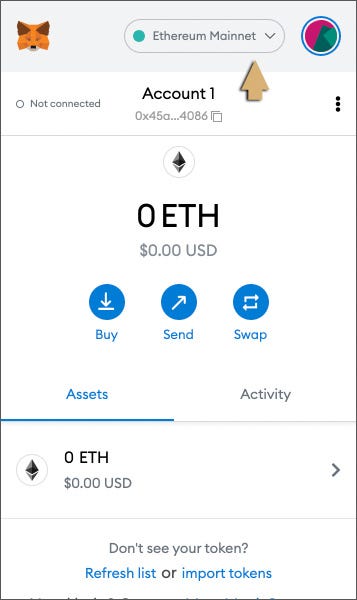
**Step 1**\
In your unlocked MetaMask wallet, click the network dropdown at the top.
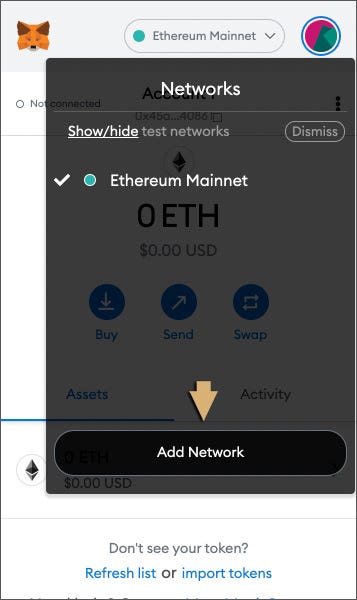
**Step 2**\
Select Add Network.
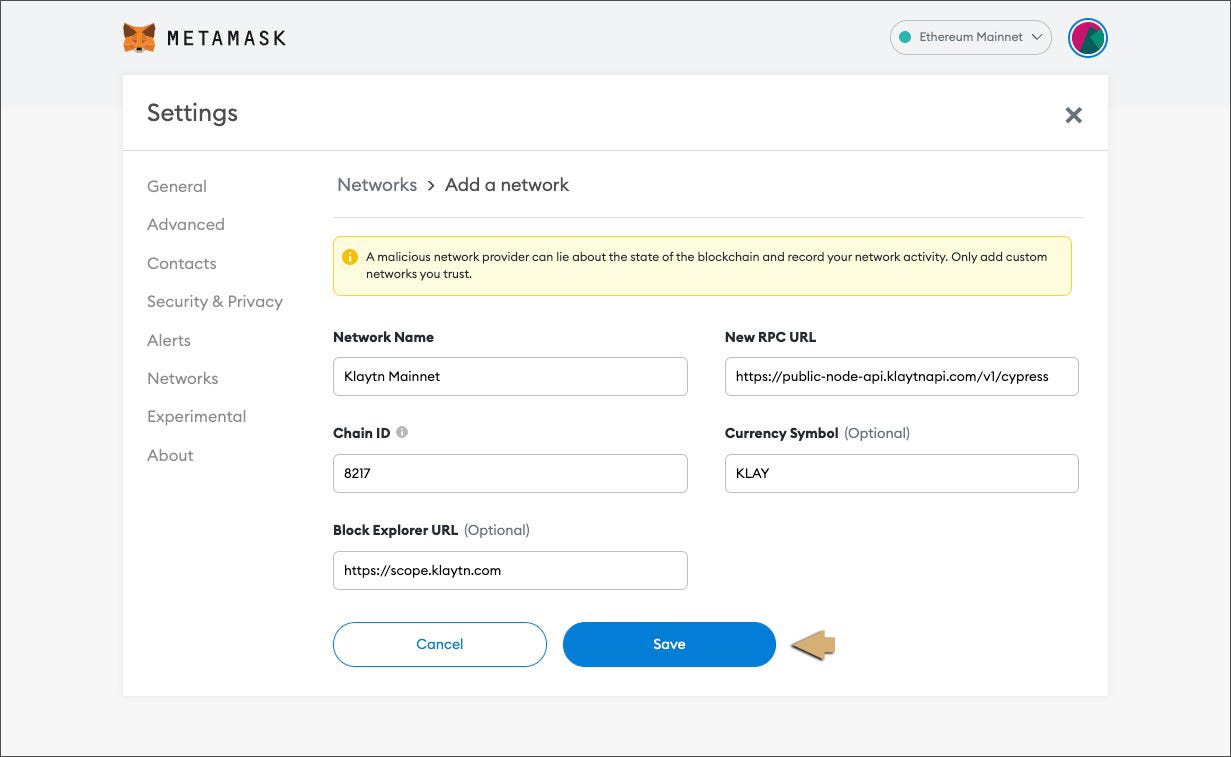
**Step 3**\
Fill in the details as below and click Save.
### **Mainnet:**
**Network Name:** Klaytn Mainnet\
**New RPC URL:** \
**Chain ID:** 8217\
**Currency Symbol:** KLAY\
**Block Explorer URL:** [https://scope.klaytn.com](https://scope.klaytn.com/)
### **Testnet:**
**Network Name:** Klaytn Baobab\
**New RPC URL:** \
**Chain ID:** 1001\
**Currency Symbol:** KLAY\
**Block Explorer URL:**
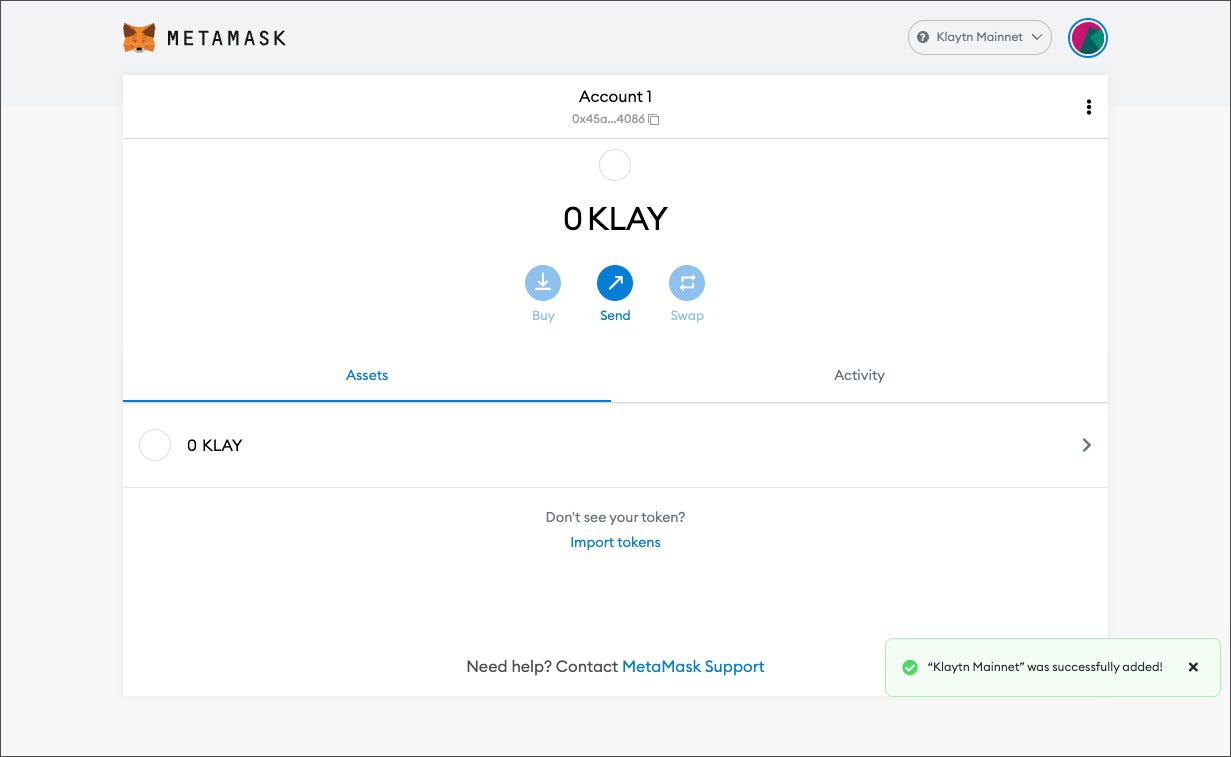
**Step 4**\
Klaytn is now added to your MetaMask wallet!
**Important:** SPECIFICALLY FOR METAMASK **you must set both the Max Priority Fee to 250 GWEI and the Max Fee to 250 GWEI or else your transactions will fail for both "approve" and "deposit**." Ignore the warning messages. This is not an issue for other wallets. Detailed below:

To save the 250 GWEI setting for every transaction, head into your Metamask settings and go under "Experimental" and turn Enable Enhanced Gas Fee UI on.

When performing a transaction on Klap, select "Advanced" and save the gas fee as 250 GWEI in both fields
